Laboratory inventory / 2026
Closed · maintenanceLabStock
Every movement has a source.
The balance is only
half the story.
The problem
Moving inventory out of spreadsheets is only half the problem. The source of each balance still needs to be identifiable when data is imported again, corrected, or exported.
What I built
I built LabStock around a stock movement ledger. Source-aware validation and repeat-import checks protect the input; history-preserving corrections keep reports and exported workbooks connected to that record.
02 / System design
One ledger.
Every view connected.
Keeps monthly and yearly web reports and exported workbooks on the same ledger data.
- 01
Source
- Workbook
- Sheet
- Source row
- 02
Validate
- Item identity
- Unit
- Period
- Source mapping
- 03
Ledger
- OPENING
- IN
- OUT
- ADJUSTMENT
- REVERSAL
- 04
Output
- Monthly report
- Yearly report
- Excel export
Repeat import
A repeated source is recognized before it can create another stock movement.
Correction
Supersession records the change while retaining the earlier ledger evidence.
03 / Engineering decisions
Designed for
the second import.
Keep the source attached.
Workbook, sheet, row, item identity, unit, and period travel together.
Source identityImport twice. Post once.
A repeated source is recognized before it can create another stock movement.
Repeat importCorrect without erasing.
Supersession records the change while retaining the earlier ledger evidence.
Correction
04 / Inside the product
From daily work
to the final workbook.
A closer look at the software. Every screen below uses synthetic demo data.
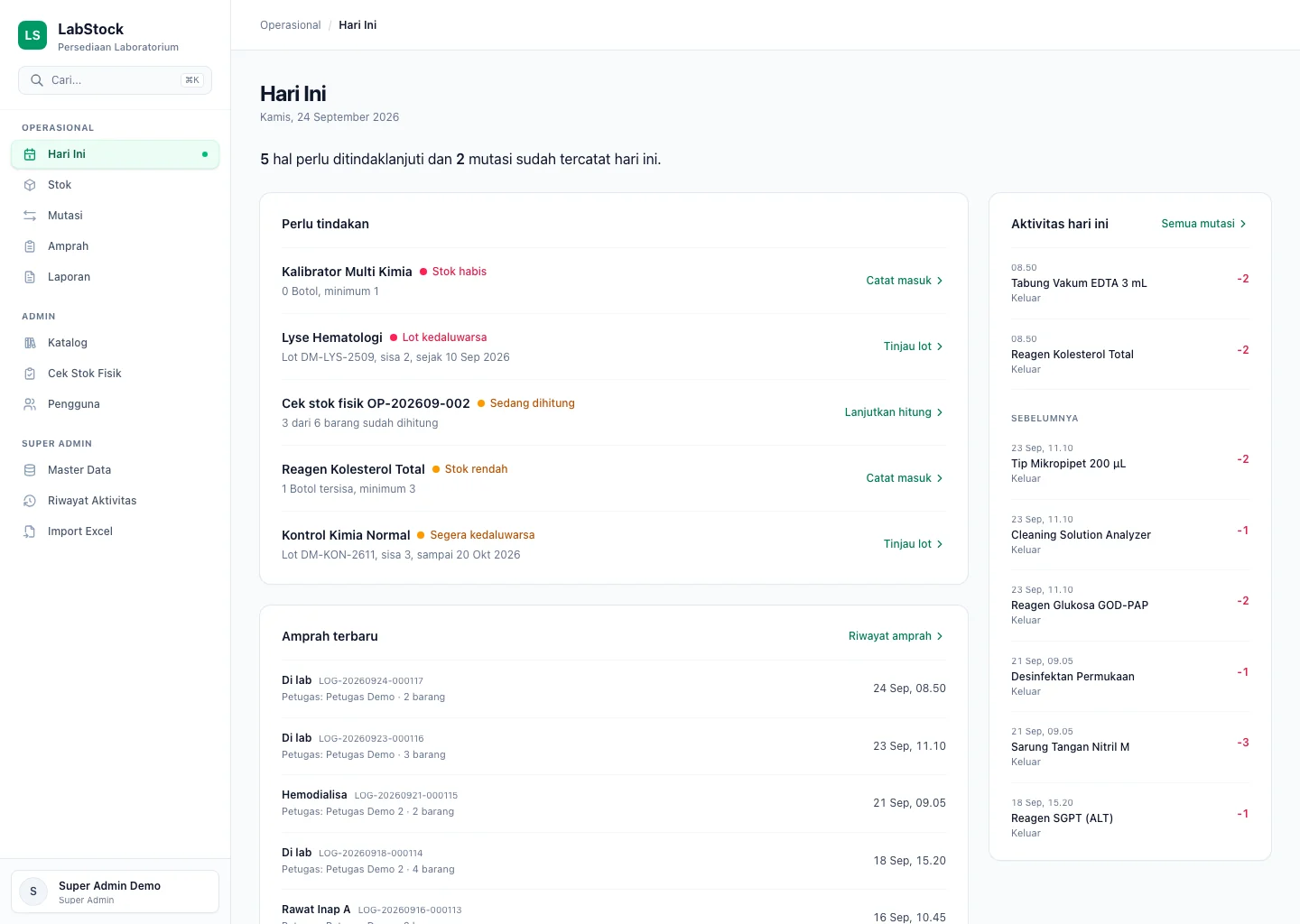
Know what needs attention.
Today brings low stock, expiry, recent requisitions and recorded movements into one operational view.
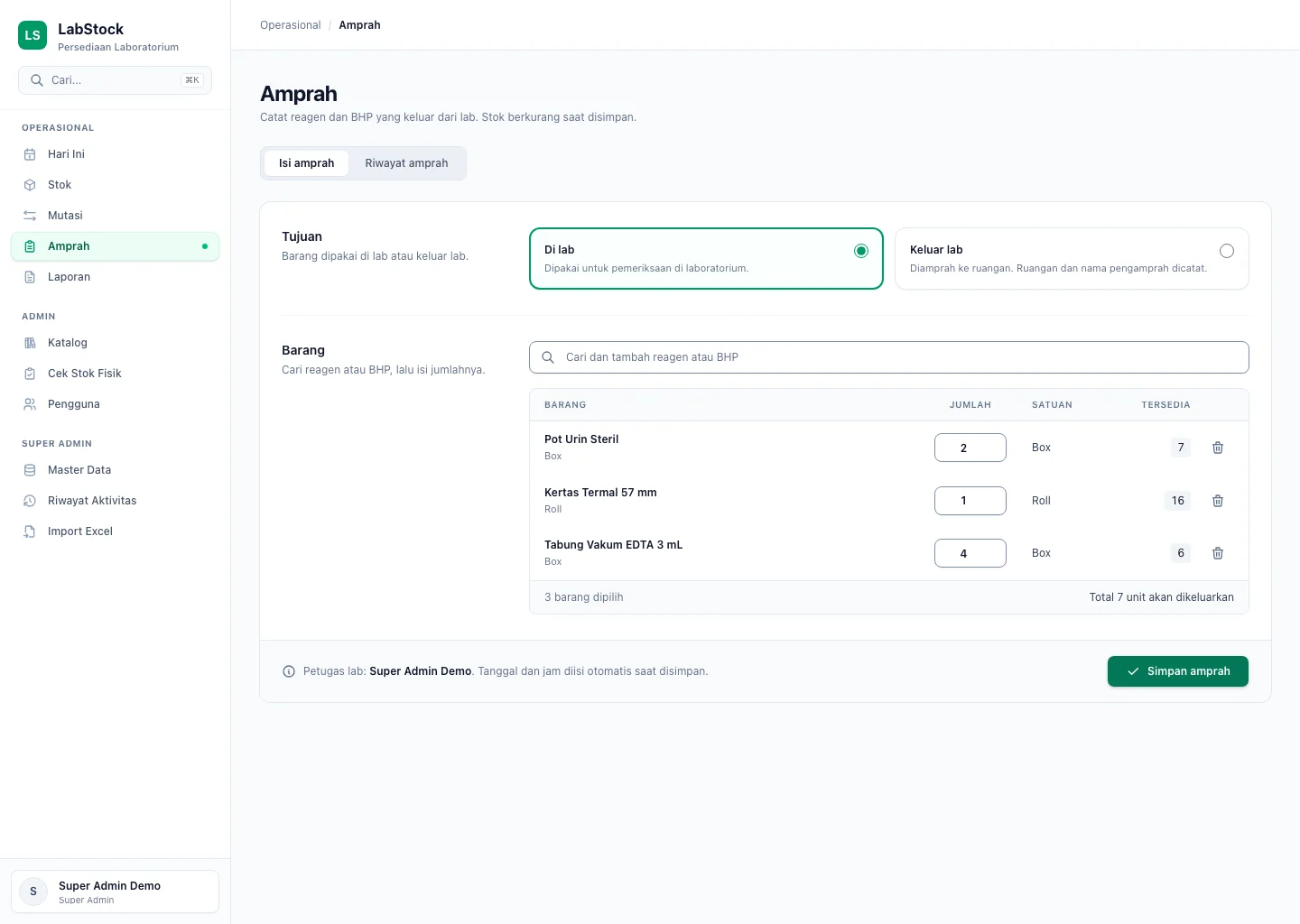
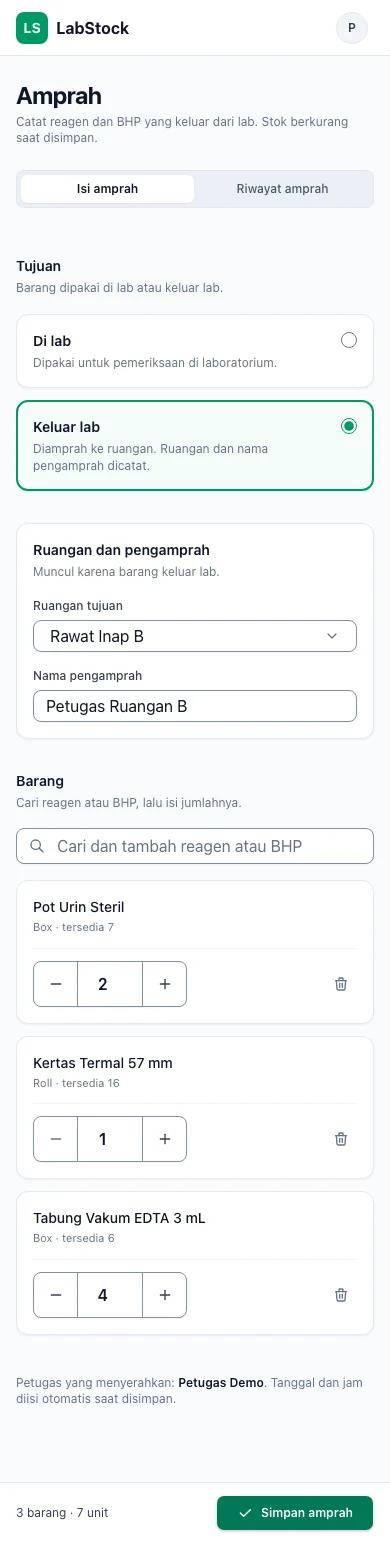
Inspect the stock view ↓One request. Every item recorded.
Amprah collects the items in a single requisition. The phone view keeps room and requester alongside items leaving the lab.
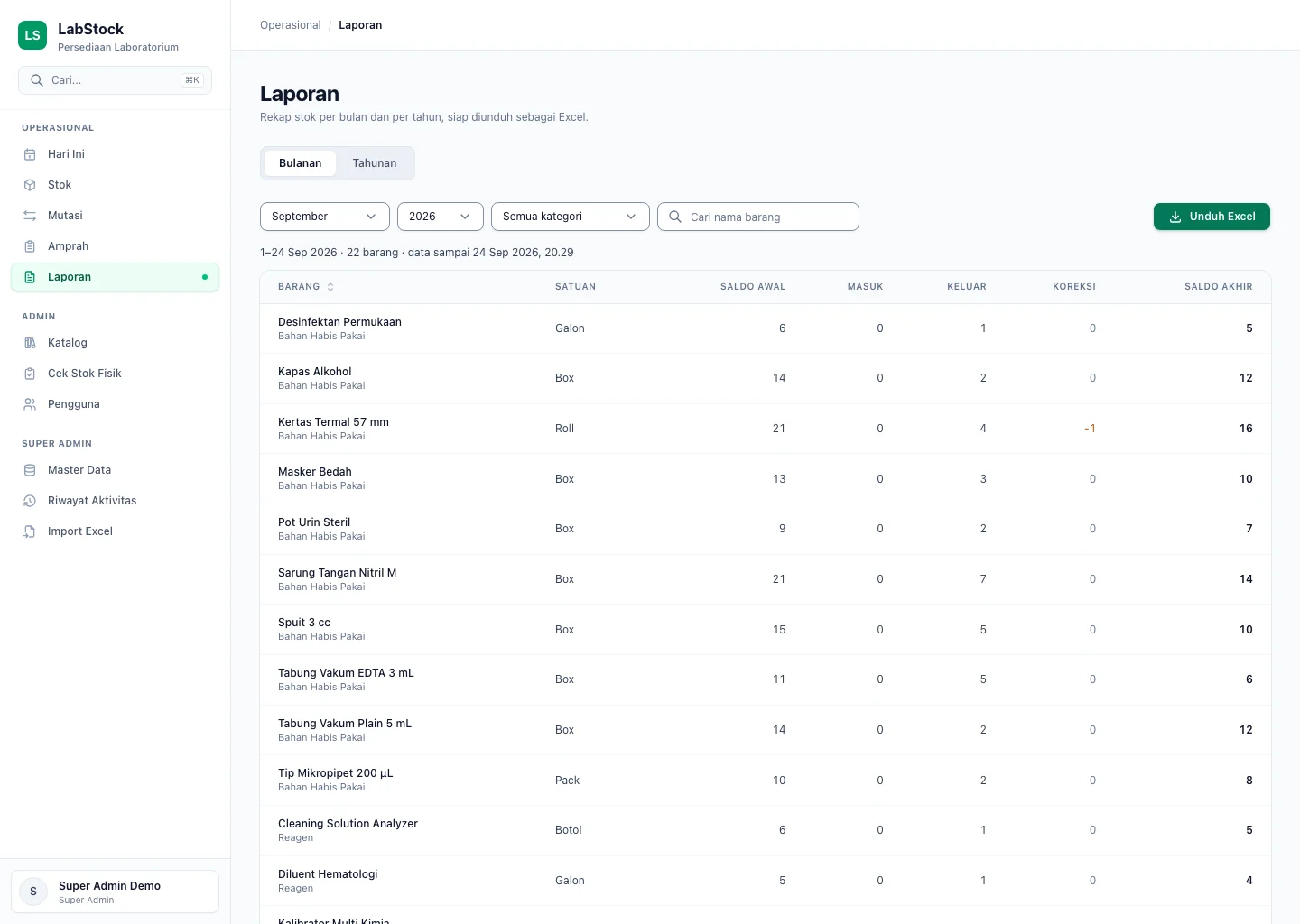
Close the loop in Excel.
Monthly and yearly reporting reads from the ledger. The monthly screen exposes corrections alongside the closing balance and Excel export.
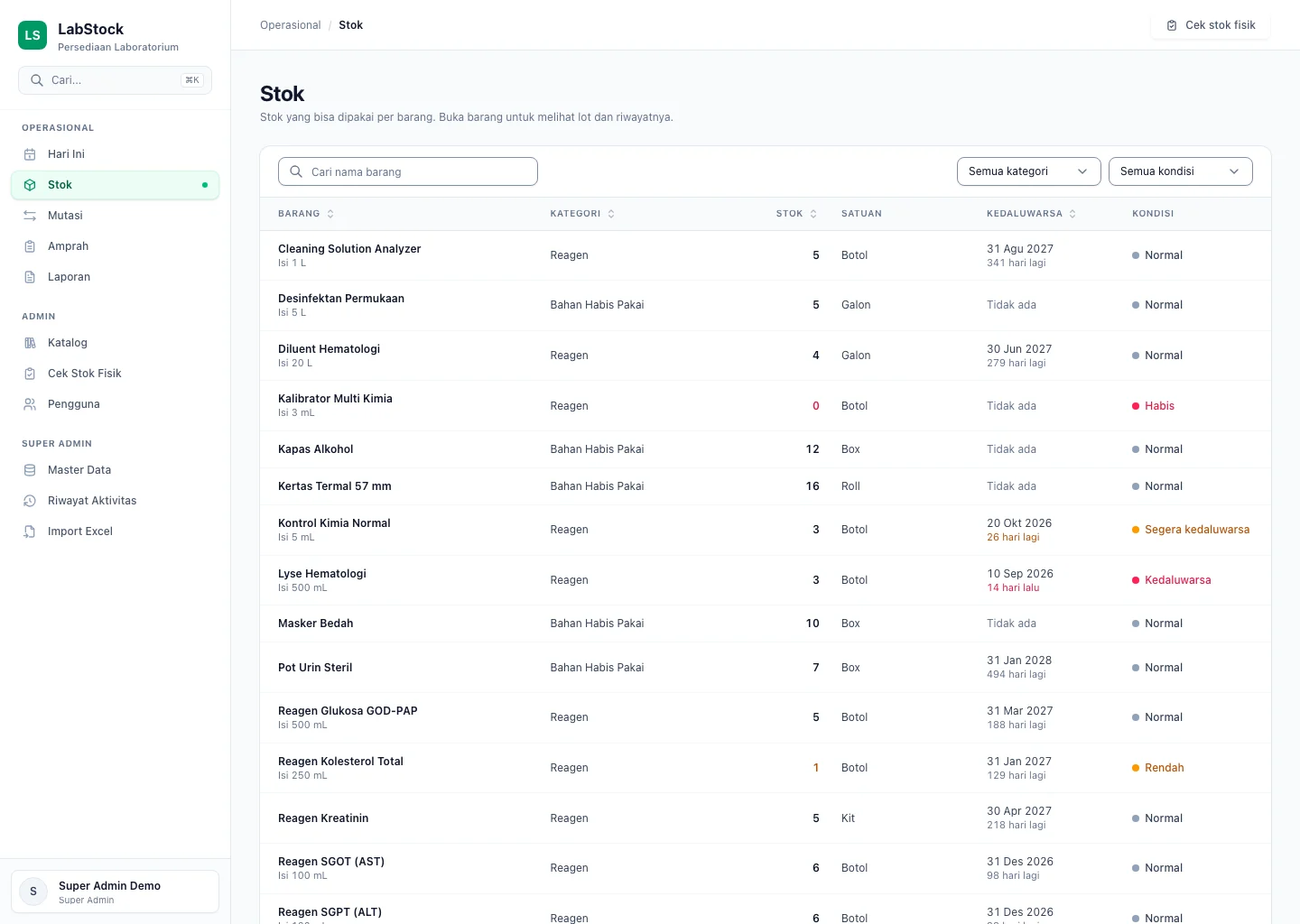
A product you can inspect.
The public record, and where to look.
Screens show the interface. They are not an independent test of import safety or correction logic.
What this demonstrates
The interface is the visible part.
The record is what holds it together.
A usable operational product and a traceable data model, designed together—from source identity to the workbook people need at the end.